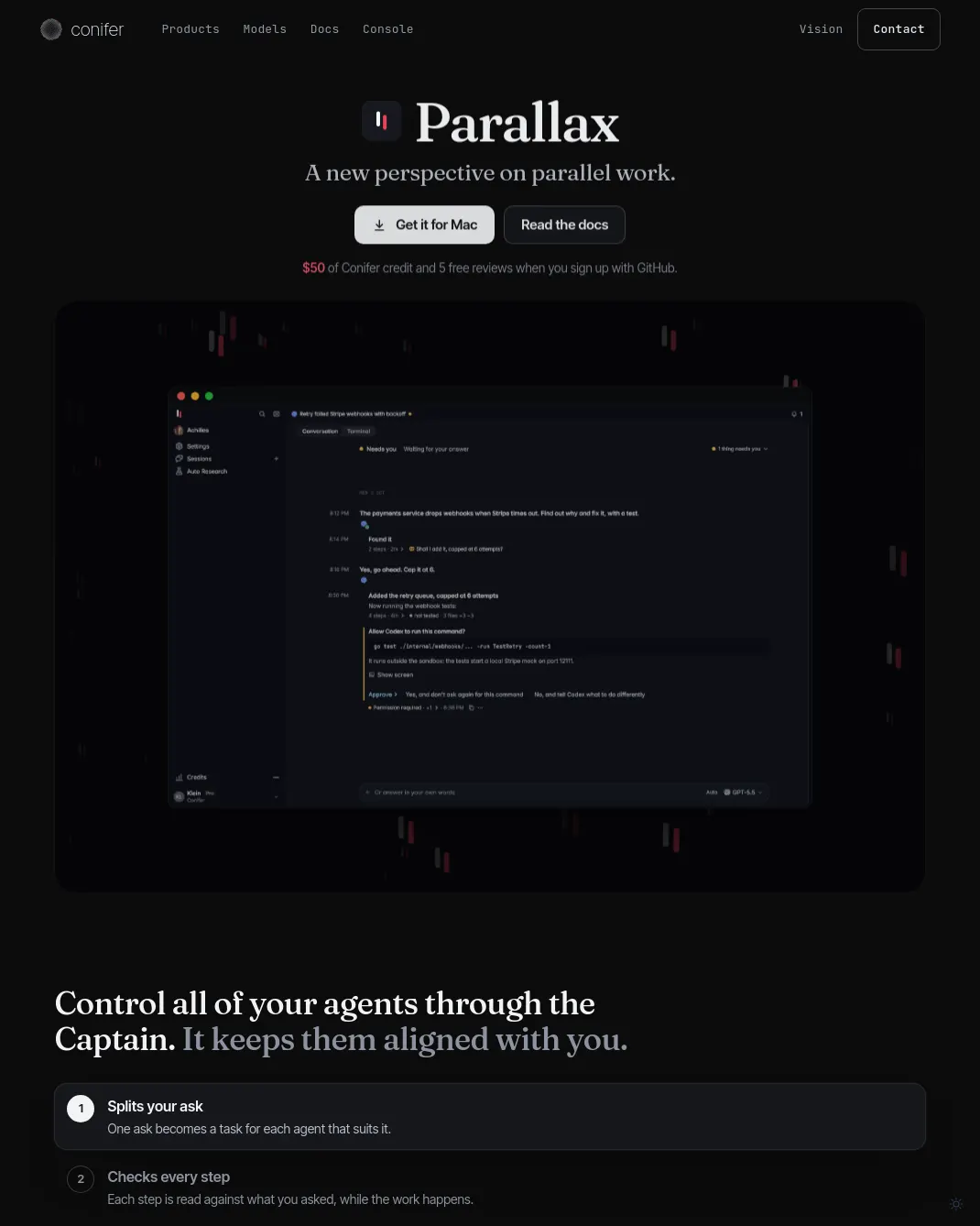
Parallax는 코딩 에이전트가 요청에서 벗어나거나 테스트를 건너뛰면 작업 중 이를 바로잡고, 요청에 맞는 풀 리퀘스트로 결과를 돌려주는 앱이다. 여러 에이전트의 작업을 한곳에서 관리하고 각 단계의 결과를 요청 내용과 대조한다.
제작사 Conifer는 Martian의 공개 Code Review Benchmark에서 Parallax가 풀 리퀘스트당 병합을 막을 만한 실제 문제를 평균 2.24개 찾아, 비교 대상 21개 도구 가운데 가장 높은 수치를 기록했다고 설명한다. 이 결과는 50개 풀 리퀘스트를 대상으로 한 벤치마크에 해당하며, 독립적으로 검증된 성능이라고 원문이 밝히지는 않는다.
Parallax는 코드 변경분뿐 아니라 에이전트의 전체 세션을 읽고 작업을 검토한다고 제작사는 설명한다. Conifer의 Conifer router는 코드를 작성한 곳과 다른 연구소의 리뷰어를 선택한다. Claude와 Codex 구독을 여러 개 연결하면 한 구독의 사용 한도에 도달했을 때 다른 구독으로 작업을 자동 전환하며, 진행 중인 작업을 이어갈 수 있다. Amp, Capy와 Codex cloud 및 Claude Code on the web에서 실행한 세션도 지원한다고 안내한다.
macOS에서는 Parallax 설치 파일을 내려받아 Applications 폴더로 옮긴 뒤 실행한다. Linux에서는 x86-64 설치 파일을 풀고 해당 폴더에서 ./parallax daemon을 실행한 다음 브라우저에서 http://127.0.0.1:7878에 접속한다. ARM64 빌드는 릴리스 페이지에서 받을 수 있다. Linux에는 아직 기본 창이 없다.
GitHub로 가입하면 Conifer 크레딧 50달러와 무료 리뷰 5회를 제공한다고 안내한다. 이메일로 가입한 경우에는 설정에서 GitHub 계정을 연결해야 크레딧을 받을 수 있다. 문서 보기
부록: 원문 예시
It reads the session, not only the diff.Agents write better code now. When work goes wrong, it is usually because the session drifted from what you meant. Parallax keeps the whole session and reviews the work against it.The Conifer router picks the best reviewers from labs other than the ones that wrote the code.Automatically switch between subscriptions without losing progress.Connect several Claude and Codex subscriptions. When one hits its limit, Parallax automatically moves the work to the next.Personal 1Claude Max100%of this week's limit usedLimit reachedPersonal 2Claude Max73%of this week's limit usedIn useBilling CSV exportStill runningPersonal 3Claude Pro12%of this week's limit usedReadyConifer creditafter every plan$50of credit leftReadyBilling CSV exportStill runningEvery agent you already use, in one place.Amp and Capy too, and the sessions you run in Codex cloud and Claude Code on the web.Claude CodeCodexCursorGemini CLIOpenCodepiGet ParallaxFree to start, with $50 of Conifer credit and 5 free reviews when you sign up with GitHub.[Download the .dmg](https://www.conifer.build/api/download/parallax/Parallax-macos.dmg?src=parallax-page)[Read the docs](https://www.conifer.build/docs/parallax/)After it opensParallax opens on its sign-in page. Continue with GitHub and your new account comes with $50 of Conifer credit and 5 free reviews. If you sign up with an email instead, link GitHub in Settings and the credit arrives then. No Claude or ChatGPT plan? Your agents can run on the credit.The first chat keeps a checklist for the rest, from adding a Claude or Codex account and connecting GitHub to starting your first session.First open from the .dmgOpen the .dmg and drag Parallax to Applications.Open Parallax from Applications. It is notarized by Apple, so macOS only asks once whether to open it: click Open.On LinuxUnpack [parallax-linux-amd64.tar.gz](https://www.conifer.build/api/download/parallax/parallax-linux-amd64.tar.gz?src=parallax-page) (the arm64 build is on the [releases page](https://github.com/ConiferKit/parallax-releases/releases/latest)) and run
댓글 (0)
로그인하면 이 기사에 내 생각을 남길 수 있어요