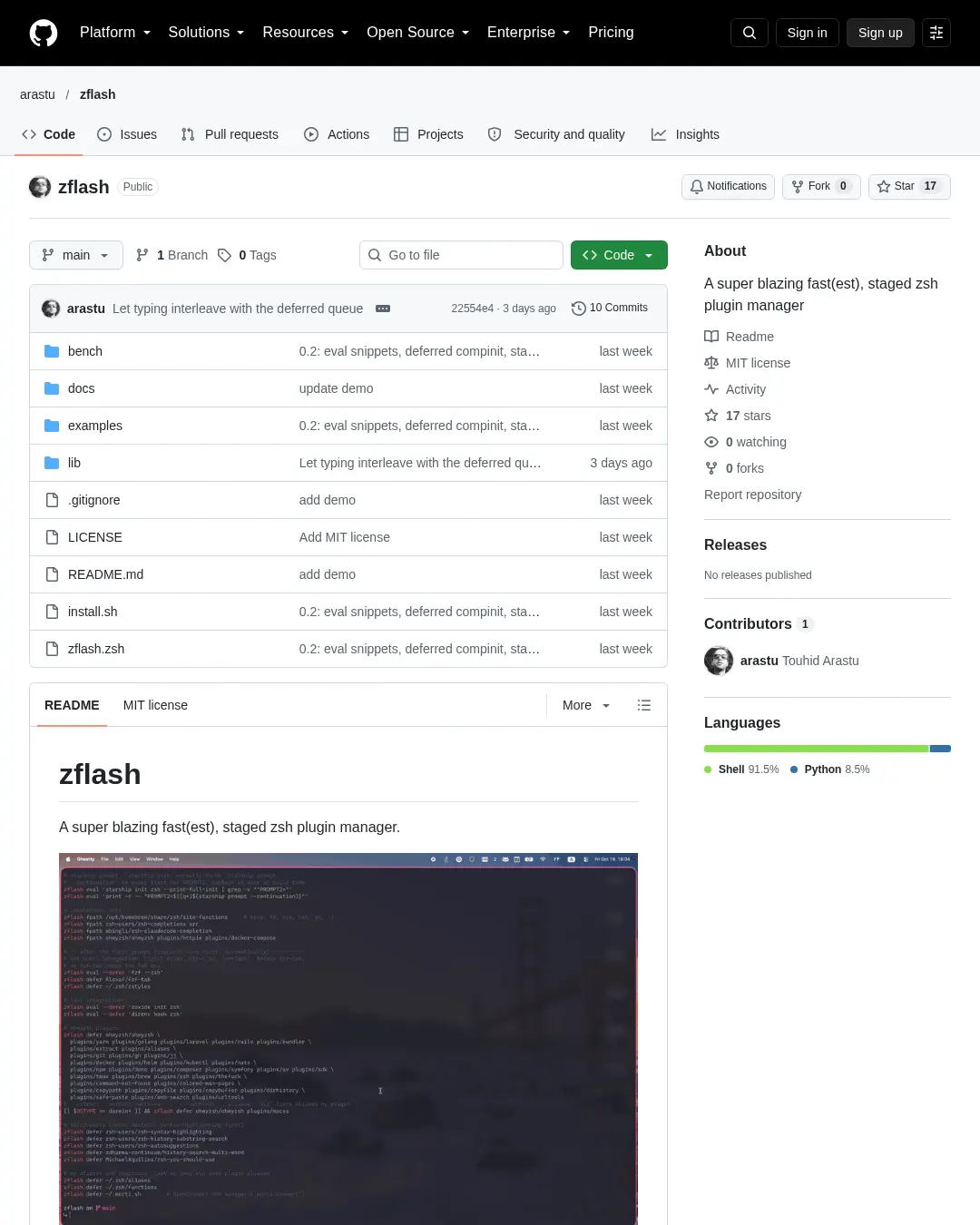
zflash는 zsh 플러그인을 단계별로 불러오는 플러그인 관리자다. 프로젝트는 선언형 명세를 하나의 정적 바이트코드 컴파일 초기화 파일로 만든다고 설명한다. 셸이 시작될 때 관리자는 플러그인을 확인하거나 검색하거나 프로세스를 만들거나 명세를 파싱하지 않는다. .zshrc는 작은 부트스트랩 파일과 생성된 초기화 파일 하나만 불러온다. 명세의 모든 항목, 플러그인, <tool> init zsh 출력, 사용자의 rc 파일을 첫 프롬프트 전후 두 단계로 나눠 프롬프트를 가능한 한 일찍 표시한다. compinit도 프롬프트가 표시된 뒤 실행한다.
일반적인 관리자와 다른 점
일반적인 플러그인 관리자는 시작할 때 관리자 자체를 불러오고 플러그인을 확인하며, 경우에 따라 업데이트를 검사한다. zflash는 컴파일한 파일 하나를 불러온다. 자동완성 초기화는 플러그인에 따라 달라지고, 시작할 때마다 compinit을 전부 실행하는 경우가 많다. zflash는 첫 프롬프트 뒤에 캐시된 compinit -C를 실행하고, 그보다 먼저 호출된 compdef는 대기열에 넣는다.
일반적인 관리자는 플러그인을 지연 로드하려면 사용자가 직접 연결 작업을 해야 한다. zflash에는 zflash defer가 내장돼 있으며, romkatv/zsh-defer를 사용한다. 자동완성 디렉터리는 보통 compinit 전에 직접 선언해야 하지만, zflash는 모든 명세 항목에서 자동으로 찾아 올린다.
starship init zsh, zoxide init zsh, fzf --zsh는 매번 시작할 때 별도 프로세스를 만든다. zflash의 zflash eval은 빌드 시 한 번 실행하고 결과를 초기화 파일에 삽입한다. 별칭, 함수, 환경 변수도 일반 설정에서는 시작할 때마다 파싱되지만, zflash 명세에 넣으면 플러그인처럼 바이트코드로 컴파일하고 단계별로 실행한다. 업데이트는 일반적으로 시작할 때 앞에서 실행하지만 zflash는 프롬프트 뒤 백그라운드에서 처리한다.
시작 시간
첫 측정은 같은 컴퓨터와 플러그인 구성으로 진행했다. 구성에는 oh-my-zsh의 라이브러리, fzf-tab, zsh-completions, oh-my-zsh와 서드파티 플러그인 39개, 자동완성 전용 플러그인 2개, starship, zoxide, direnv, fzf가 포함됐다. Apple Silicon Mac에서 Ghostty와 zsh 5.9를 사용하고 hyperfine -N 'zsh -i -c exit'로 측정했다. rc 파일을 전혀 읽지 않는 zsh -f는 2.2 ms였다.
- 이전에 사용한 설정인 zgenom은 모든 항목을 시작 때 불러와 129 ms였다.
- zflash 0.1은 플러그인을 단계별로 나누고 나머지
.zshrc는 그대로 둬 32 ms였다. - zflash 0.2는
.zshrc전체를 단계별로 나눠 7 ms였다.
마지막 단계에서 바뀐 사항은 다음과 같다.
starship init zsh는 시작 때마다starship prompt --continuation을 실행해 4 ms가 걸렸다.zflash eval은 초기화 결과를 빌드 시 한 번 저장한다.- fzf-tab, oh-my-zsh 기본 라이브러리, zoxide, direnv, fzf를 별칭과 함수와 함께 첫 프롬프트 뒤로 미뤘다.
compinit도 뒤에서 실행한다. ~/.zshenv에서NO_GLOBAL_RCS를 설정했다. macOS의/etc/zshrc는locale을,/etc/zprofile은path_helper를 별도 프로세스로 실행하며, 이 작업에 3 ms가 들었다. 예시 설정을 참고할 수 있다.- zflash가 불러오는 모든 파일을 바이트코드로 컴파일했다. 플러그인 도우미 파일과 사용자의 rc 파일도 포함된다.
전체 설정은 examples/에 있다. plugins.zsh는 명세이고, zshrc.zsh는 전체 .zshrc 예시다.
별도의 벤치마크에서는 플러그인 6개를 일곱 가지 설정으로 불러왔다. 플러그인은 zsh-completions, zsh-autosuggestions, zsh-syntax-highlighting, zsh-history-substring-search, oh-my-zsh의 git과 extract다. 각 관리자의 문서에 나온 최소 설정을 사용하고, 문서가 지정한 위치에 compinit을 넣었다. 모든 셸에 동일하게 정리한 환경 변수와 각각의 ZDOTDIR, HOME을 적용했다. 실제 의사 터미널에서 플러그인 6개가 모두 불러와지고 자동완성이 초기화됐는지 먼저 확인한 뒤 시간을 쟀다.
| 설정 | 평균 | 최솟값 |
|---|---|---|
| zsh -f (rc 파일을 전혀 읽지 않음) | 2.8 ms ± 0.1 | 2.7 ms |
| zflash, 위젯 지연 로드 | 15.9 ms ± 0.4 | 15.3 ms |
| zflash | 24.5 ms ± 0.6 | 23.6 ms |
| zgenom | 28.5 ms ± 0.6 | 27.5 ms |
| znap | 33.1 ms ± 0.5 | 32.2 ms |
| 관리자 없이 직접 설정 | 39.2 ms ± 0.5 | 38.2 ms |
| antidote | 40.7 ms ± 0.7 | 39.5 ms |
| zinit, 위젯 turbo 모드 | 45.1 ms ± 0.5 | 44.3 ms |
| sheldon | 49.1 ms ± 0.7 | 47.9 ms |
| zinit | 62.0 ms ± 0.6 | 60.6 ms |
측정 환경은 Apple M4, macOS 27.0.1, zsh 5.9(arm64-apple-darwin26.0)이며 날짜는 2026-10-16이다. hyperfine으로 zsh -i -c exit를 설정별 10회 측정했다.
지연 로드 설정은 위젯 플러그인 세 개(구문 강조, 자동 제안, 기록 검색)를 첫 프롬프트 뒤에 불러온다. zflash는 zflash defer를, zinit은 wait lucid를 사용했다. zflash 설정은 기본 동작에 따라 compinit도 프롬프트 뒤에서 실행한다. 나머지 설정은 모든 항목을 프롬프트 전에 불러온다.
zflash가 직접 작성한 설정보다 빠른 차이는 캐시된 compinit과 바이트코드 파일에서 나온다. 직접 작성한 설정은 대부분의 dotfiles처럼 일반 compinit을 사용했다. 여기에 compinit -C를 쓰면 약 38 ms가 걸린다. oh-my-zsh의 git 플러그인이 불러올 때 compdef를 호출하기 때문에 zgenom은 zgenom compdef, antidote는 compinit을 두 번들 파일 사이에 배치하고 sheldon은 인라인 compinit 플러그인을 썼다. zinit은 zinit cdreplay를, znap은 자체 compinit을 실행했다. 설정 과정에서 모든 저장소를 로컬 미러에서 복제했으며, 이는 시작 시간에 영향을 주지 않았다.
벤치마크는 다음 명령으로 재현할 수 있다. git, hyperfine, python3가 필요하며 sheldon은 선택 사항이다.
zsh bench/run.zsh # needs git, hyperfine, python3; sheldon optional
ZBENCH_RUNS=50 zsh bench/run.zsh # more runs
실행하면 bench/results.json, bench/results.md와 그래프 두 개를 만든다.
설치와 명세 작성
저장소를 내려받아 설치할 수 있다.
git clone https://github.com/arastu/zflash ~/Workspace/zflash
zsh ~/Workspace/zflash/install.sh --zshrc
한 줄 설치 명령은 저장소를 ~/.local/share/zflash/zflash에 복제한다.
zsh -c "$(curl -fsSL https://raw.githubusercontent.com/arastu/zflash/main/install.sh)" zflash-install --zshrc
설치기는 ~/.config/zflash/plugins.zsh에 명세 파일을 만든다. 이 파일은 examples/starter.zsh의 복사본이므로 편집해야 한다. 설치기는 .zshrc에 다음 두 줄을 덧붙인다.
source $HOME/Workspace/zflash/zflash.zsh
zflash boot $HOME/.config/zflash/plugins.zsh
--zshrc를 생략하면 설치기는 두 줄을 출력만 한다. 새 셸을 처음 열면 플러그인을 복제하고 초기화 파일을 만든다.
명세는 일반 zsh 코드이며 시작할 때가 아니라 zflash build를 실행할 때만 평가된다. 다음 예시에서 load는 첫 프롬프트 전, defer는 뒤에 실행할 항목이다. fpath는 자동완성 경로만 추가하고 eval은 명령 출력을 빌드 시 삽입한다.
# before the first prompt
zflash load ~/.zsh/options # your own files work like plugins
zflash load ~/.zsh/exports
zflash defer ohmyzsh/ohmyzsh # lib/*.zsh; history.zsh stays before the prompt
zflash eval 'starship init zsh --print-full-init | grep -v "^PROMPT2="'
zflash eval 'print -r -- "PROMPT2=${(q+)$(starship prompt --continuation)}"'

# completions only
zflash fpath /opt/homebrew/share/zsh/site-functions
zflash fpath zsh-users/zsh-completions src
zflash fpath ohmyzsh/ohmyzsh plugins/docker plugins/httpie

# after the first prompt (compinit runs first, automatically)
zflash eval --defer 'fzf --zsh'
zflash defer Aloxaf/fzf-tab
zflash eval --defer 'zoxide init zsh'
zflash defer ohmyzsh/ohmyzsh plugins/git plugins/extract plugins/kubectl
zflash defer zsh-users/zsh-syntax-highlighting
zflash defer zsh-users/zsh-autosuggestions
zflash defer ~/.zsh/aliases # last, so they win over plugin aliases
zflash defer ~/.zsh/functions
명령의 용도는 다음과 같다.
zflash load <repo> [path ...]: 첫 프롬프트 전에 동기적으로 불러온다.zflash defer <repo> [path ...]: 첫 프롬프트가 나온 뒤 지정된 순서로 불러온다.zflash fpath <repo> [path ...]: 디렉터리만fpath에 추가한다.zflash eval [--defer] '<cmd>':<cmd>를 빌드 시 실행해 출력을 지정된 단계에 삽입한다.
<repo>는 GitHub(또는 $ZFLASH_GIT_HOST)에서 복제하는 owner/repo, Git URL, 디렉터리나 ~/.zsh/aliases 같은 단일 파일을 가리키는 로컬 경로가 될 수 있다. [path]는 저장소 안의 파일이나 디렉터리다. 생략하면 저장소 루트를 사용한다. 디렉터리에서는 플러그인 파일을 *.plugin.zsh, init.zsh, *.zsh-theme, *.zsh, *.sh 순으로 찾아낸다.
.zshrc에서 source하던 파일은 명세 항목으로 바꿔 플러그인처럼 단계별로 실행하고 바이트코드로 컴파일할 수 있다. 저장소 디렉터리 바깥의 파일은 .zwc보다 원본이 최신일 때 다시 컴파일하므로, 수정 사항은 다음 셸에서 적용된다. 옵션과 환경 변수는 load에 두고, 별칭과 함수는 대체로 defer에 둘 수 있다.
eval "$(starship init zsh)", zoxide init zsh, direnv hook zsh, fzf --zsh 등은 매번 시작할 때 같은 출력을 만들려고 프로세스를 실행한다. zflash eval '<cmd>'은 명령을 빌드 시 한 번 실행하고 결과를 초기화 파일에 넣는다. zsh가 명령을 평가하므로 파이프도 쓸 수 있다. starship 초기화에는 두 번째 프로세스 호출인 PROMPT2가 들어가며, 위 예시의 두 번째 명령은 이것도 빌드 시 저장한다. 도구를 업그레이드한 뒤 zflash build를 실행하거나 다음 백그라운드 업데이트를 기다리면 된다.
_* 자동완성 파일을 포함한 디렉터리는 functions/, completions/, src/ 같은 하위 디렉터리에 있더라도 단계와 무관하게 compinit 전에 fpath에 추가된다. 따라서 zflash defer ohmyzsh/ohmyzsh plugins/docker로 Docker 자동완성을 먼저 사용할 수 있고, 플러그인의 별칭은 잠시 뒤에 도착한다.
oh-my-zsh를 경로 없이 zflash load ohmyzsh/ohmyzsh 또는 zflash defer ohmyzsh/ohmyzsh로 지정하면 기본 라이브러리(lib/*.zsh)를 불러온다. compfix, cli, diagnostics는 제외한다. $ZSH, $ZSH_CACHE_DIR, 캐시 자동완성 디렉터리도 다시 만든다. zsh는 .zshrc 직후 기록 파일을 읽으므로 HISTFILE이 그때 필요하다. 이에 따라 lib/history.zsh는 항상 첫 프롬프트 전에 불러온다. 자체 oh-my-zsh.sh는 두 번째 compinit과 자체 업데이트 안내를 실행하므로 불러오지 않는다. 플러그인이 생성한 자동완성 파일의 위치를 정하려면 zflash boot 전에 ZSH_CACHE_DIR을 설정한다.
명령과 시작 과정
zflash build: 명세로 초기화 파일을 다시 만든다.zflash update [repo]: 모든 저장소 또는 지정한 저장소를git pull한 뒤 빌드한다.zflash list: 현재 초기화 파일이 단계별로 불러오는 항목을 보여준다.zflash clean [--yes]: 명세에 없는 저장소를 제거한다.zflash reset: 초기화 파일과 자동완성 덤프를 지운 뒤 다시 만든다.zflash bench [runs]:zsh -i시작 시간을 잰다.
명세 또는 zflash 자체가 생성된 초기화 파일보다 최신이면 zflash boot가 자동으로 다시 빌드한다.
시작 과정은 다음과 같다. zflash.zsh가 약 20줄 분량의 간단한 zflash 스텁 함수와 변수 몇 개를 정의한다. zflash boot <spec>은 ~/.cache/zflash/init.zsh 또는 그 .zwc 바이트코드 파일을 불러온다. 초기화 파일은 fpath를 설정하고 compdef 호출을 대기열에 넣는 스텁을 설치한 뒤, 1단계 파일과 삽입된 코드를 불러오고 zsh-defer를 불러와 2단계를 대기열에 넣는다. 프롬프트가 그려진 뒤 줄 편집기가 잠시 유휴 상태가 되면 2단계가 실행된다. 먼저 캐시된 compinit, 이어서 대기 중인 compdef, 마지막으로 명세 순서에 따른 지연 항목이 실행된다. lib/core.zsh의 관리자 코드는 명령을 실행하거나 다시 빌드해야 할 때만 불러온다.
compinit은 매번 fpath 디렉터리를 다시 검색하고 권한을 검사해 zsh 시작 과정에서 가장 느린 부분인 경우가 많다. zflash는 $ZSH_VERSION, 전체 fpath, $ZSH_CACHE_DIR/completions에 생성된 자동완성 파일 수를 서명으로 저장하고 덤프 파일과 함께 둔다. 서명이 일치하고 덤프가 ZFLASH_COMPINIT_TTL 시간보다 오래되지 않았으면, 바이트코드 덤프만 불러오는 compinit -C를 실행한다. fpath가 바뀌면 전체 검사를 자동으로 다시 한다. 기존 디렉터리 안에 새 파일이 추가된 경우 다음 일일 갱신 때 반영되며, zflash reset을 실행하면 즉시 반영된다.
기본 설정에서 compinit은 2단계에서 첫 프롬프트 직후 실행되고, 그보다 먼저 호출된 compdef는 실행 뒤에 재생된다. 처음 몇 밀리초 안에 Tab을 누르면 zsh 내장 자동완성으로 대체한다. ZFLASH_COMPINIT=sync로 설정하면 프롬프트 전에 실행한다. 아무 항목도 지연하지 않을 때도 이 방식으로 실행된다. ZFLASH_COMPINIT=0은 compinit을 직접 관리한다.
ZFLASH_AUTO_UPDATE에 지정한 일수마다(기본값 7일) 지연 단계가 백그라운드에서 zflash update --quiet을 시작하고 ~/.cache/zflash/update.log에 기록한다. 0으로 설정하면 자동 업데이트를 끈다.
zflash boot 전에 설정할 수 있는 변수는 다음과 같다.
| 변수 | 기본값 | 의미 |
|---|---|---|
ZFLASH_HOME | ~/.local/share/zflash | 저장소 위치는 $ZFLASH_HOME/repos다. |
ZFLASH_CACHE | ~/.cache/zflash | 초기화 파일, 매니페스트, compdump 위치다. |
ZFLASH_AUTO_UPDATE | 7 | 백그라운드 업데이트 간격(일)이며 0은 끔을 뜻한다. |
ZFLASH_COMPINIT | defer | defer는 첫 프롬프트 뒤 캐시된 compinit, sync는 프롬프트 전 실행, 0은 실행 안 함이다. |
ZFLASH_COMPINIT_TTL | 24 | 덤프를 신뢰할 시간(시간)이다. |
ZFLASH_COMPDUMP | $ZFLASH_CACHE/compdump-$ZSH_VERSION | 덤프 파일 경로다. |
ZFLASH_GIT_HOST | https://github.com | owner/repo 명세에 사용할 호스트다. |
ZFLASH_OMZ_LIB_SKIP | (compfix cli diagnostics) | 건너뛸 oh-my-zsh 라이브러리 파일이다. |
다른 도구에서 옮기기
zflash 명세는 다른 플러그인 관리자의 설정과 직접 대응한다. 가장 큰 차이는 각 항목마다 첫 프롬프트 전후 어느 시점에 불러올지 정한다는 점이다.
- zgenom 또는 zgen의
load owner/repo는zflash load owner/repo로 바꾼다. - zgenom의
load --completion이나 zinit의as"completion"은zflash fpath owner/repo로 바꾼다. - zgenom의
ohmyzsh, zinit의snippet OMZL::*, antidote의ohmyzsh/ohmyzsh path:lib은zflash load ohmyzsh/ohmyzsh에 대응한다. - oh-my-zsh의
plugins=(git docker)는zflash defer ohmyzsh/ohmyzsh plugins/git plugins/docker로 바꾼다. - zinit의
wait lucid, antidote의kind:defer, znap의eval, zsh-defer 호출은zflash defer …로 옮긴다. - zplug, antigen, antibody의
bundle owner/repo는zflash load owner/repo또는zflash defer …로 바꾼다. - sheldon의
[plugins.x] github = "owner/repo"는zflash load owner/repo로 옮긴다. eval "$(starship init zsh)",eval "$(zoxide init zsh)",source <(fzf --zsh)는 각각zflash eval 'starship init zsh',zflash eval --defer 'zoxide init zsh'등의 형태로 바꾼다.source ~/.zsh/aliases같은 rc 파일은zflash load ~/.zsh/exports,zflash defer ~/.zsh/aliases처럼 지정한다.- 직접 작성한
compinit이나 compdump 캐싱 코드는 지운다. zflash가 처리한다. - 시작 때 실행되는 업데이트 확인 코드도 지운다. 업데이트 간격은
ZFLASH_AUTO_UPDATE로 관리한다.
단계 선택 기준은 프롬프트가 그려질 때 반드시 있어야 하는 항목만 load에 넣는 것이다. 셸 옵션, 환경 변수, 프롬프트(예: zflash eval 'starship init zsh')가 이에 해당한다. 나머지 oh-my-zsh 기본 라이브러리, fzf-tab, 도구 연동, 별칭·함수·위젯·구문 강조 기능을 추가하는 플러그인, 사용자 별칭과 함수는 defer에 둔다. _* 파일만 제공하는 플러그인은 fpath에 넣는다.
AI 코딩 도우미로 이전하기
저장소는 파일을 읽고 수정할 수 있는 AI 코딩 도우미에 붙여 넣을 이전 지침을 제공한다. 지침은 단계별로 진행하고 결과를 확인하도록 요청한다. 아래 블록은 원문에 실린 프롬프트다.
Migrate my zsh plugin setup to zflash (https://github.com/arastu/zflash), a staged plugin manager that compiles a declarative spec into one byte-compiled init file. Work step by step and show me each file before you write it. 1. Inventory. Read my ~/.zshrc and everything it sources (follow symlinks; note whether my dotfiles live in a git repo or another directory). Identify the current plugin manager (zgenom, zgen, zinit, zplug, antigen, antibody, antidote, sheldon, znap, plain oh-my-zsh, or hand-written source lines) and list every plugin it loads, in order, with its source (owner/repo, URL, or local path) and any sub-path (for example oh-my-zsh plugins/git). Also list: any manual compinit calls or compdump caching, any startup update checks, fpath additions, and configuration that is not a plugin (zstyles, exports, key bindings) but sits inside the plugin section. 2. Back up. Copy the resolved dotfiles (not the symlinks) to a timestamped directory, for example ~/.zsh.backup-YYYYMMDD-HHMMSS, and tell me the path. 3. Install. Clone https://github.com/arastu/zflash to ~/Workspace/zflash (or a location I prefer) and run `zsh install.sh --spec <path>` with a spec path inside my dotfiles. Do not pass --zshrc; you will edit the zshrc yourself. 4. Write the spec. Translate everything my .zshrc loads into one of four verbs: zflash load <repo|file> [path ...] source before the first prompt zflash defer <repo|file> [path ...] source after the first prompt zflash fpath <repo|dir> [path ...] completions only zflash eval [--defer] '<cmd>' run <cmd> at build time, inline its output <repo> may also be one of my own files (e.g. ~/.zsh/aliases) or a local directory. Use `load` only for what must exist when the prompt is drawn: my shell options and exports, and the prompt itself via eval (for starship: `zflash eval 'starship init zsh --print-full-init | grep -v "^PROMPT2="'` plus `zflash eval 'print -r -- "PROMPT2=${(q+)$(starship prompt --continuation)}"'`, which removes a fork). Use `defer` for everything else, in this order: the oh-my-zsh base library (`zflash defer ohmyzsh/ohmyzsh` with no path replaces sourcing oh-my-zsh.sh; zflash keeps lib/history.zsh before the prompt), `zflash eval --defer 'fzf --zsh'` then fzf-tab, zstyles, other tool integrations (`zflash eval --defer 'zoxide init zsh'`, direnv), oh-my-zsh and third-party plugins (syntax-highlighting before history-substring-search and autosuggestions), and finally my aliases and functions so they win over plugin aliases. Use `fpath` for completion-only directories, including Homebrew's site-functions. Keep my original order within each stage. Drop manual compinit and compdump code, cached-init helpers and any update checker: zflash has all of these built in. Comment the spec so I can read it later. 5. Wire it in. Reduce ~/.zshrc to the two lines source <zflash dir>/zflash.zsh zflash boot <spec path> plus anything that must run before them (ZSH_CACHE_DIR if I set it). On macOS, add `setopt no_global_rcs` to ~/.zshenv and move what /etc/zshrc and /etc/zprofile provided into my files: a static PATH containing the entries of /etc/paths and /etc/paths.d (use `typeset -U path` and keep `$path` so inherited entries survive), `setopt COMBINING_CHARS`, and `bindkey -e` (needed when EDITOR contains "vi"). Make sure login and non-login shells end up with the same fpath (nothing in ~/.zprofile), otherwise the completion dump is rebuilt on every switch. Update aliases that call the old manager's update command to `zflash update`. 6. Build and verify. Start a new shell and fix any build error. Then check: - `zsh -i -c exit` prints nothing to stderr. - Startup time with `zflash bench 10` (and `hyperfine -N 'zsh -i -c exit'` with TERM set to what my terminal uses, if hyperfine is installed); compare against the old setup measured the same way. - Completions: in a new shell, `echo ${+_comps[git]} ${+_comps[docker]}` for a few commands from my plugins; all should print 1. - Deferred plugins actually load: drive a real pseudo-terminal (for example Python's pty module; `expect` can give false negatives), wait two seconds after the prompt, then confirm an alias from a deferred plugin and one of mine exist, `${+_comps[git]}` is 1, `${+_zflash_compdefs}` is 0 (compinit ran and replayed the queue) and `${#_zsh_defer_tasks}` is 0. - Nothing in the deferred stage fails silently: zsh-defer hides stderr, so once run the stage synchronously (replace the `source …/zsh-defer.plugin.zsh` line in a copy of ~/.cache/zflash/init.zsh with `zsh-defer() { [[ $1 == -c ]] && eval "$2" || "$@" }`, source the copy in `zsh -i -c` and read the errors). - The compdump is stable: run `zsh -lic exit` and `zsh -ic exit` alternately and confirm the dump's mtime does not change. - `zflash list` shows every plugin from step 1 in the intended stage. 7. Report. Summarise what changed, the before/after startup time, where the backup is, and what old files (the previous manager's directory, old compdump files) can now be deleted. Do not delete them yourself.
프롬프트는 기존 .zshrc와 그 파일이 불러오는 항목을 조사하고 심볼릭 링크를 따라가도록 한다. dotfiles가 Git 저장소에 있는지도 확인한다. 현재 관리자와 플러그인, 순서, 출처, 하위 경로, 수동 compinit·compdump, 시작 시 업데이트 검사, fpath 추가, 플러그인 영역에 놓인 비플러그인 설정을 목록으로 만든다. 이어 실제 파일을 복사한 날짜별 백업을 만들고 경로를 알린다. zflash를 복제해 dotfiles 안에 명세를 설치하되 --zshrc는 사용하지 않는다.
명세를 작성할 때는 기존 설정을 네 동작인 load, defer, fpath, eval로 옮기고 단계마다 원래 순서를 유지한다. 옵션과 환경 변수, 프롬프트만 load에 둔다. starship은 PROMPT2를 별도로 빌드 시 계산하는 예시를 사용한다. 그 밖에는 oh-my-zsh 기본 라이브러리, fzf와 fzf-tab, zstyles, 도구 연동, 플러그인, 마지막으로 사용자의 별칭과 함수를 defer에 둔다. 자동완성 전용 디렉터리는 Homebrew 경로를 포함해 fpath에 넣는다. 수동 compinit·compdump, 초기화 파일 캐시 도우미, 업데이트 검사는 제거하고 명세에 설명을 주석으로 남긴다.
연결 단계에서는 .zshrc를 zflash를 불러오고 명세로 부팅하는 두 줄과 그 전에 필요한 설정으로 줄인다. macOS에서는 ~/.zshenv에 setopt no_global_rcs를 넣고 /etc/zshrc, /etc/zprofile에서 제공하던 설정을 사용자 파일로 옮기라고 안내한다. /etc/paths와 /etc/paths.d 항목을 포함하는 고정 PATH를 설정하고, 상속된 항목이 살아 있도록 typeset -U path와 $path를 사용한다. setopt COMBINING_CHARS와 bindkey -e도 넣는다. EDITOR에 vi가 포함된 경우 후자가 필요하다. 로그인 셸과 비로그인 셸의 fpath를 같게 유지하고(설정은 ~/.zprofile에 두지 않음), 이전 관리자의 업데이트 명령을 호출하는 별칭은 zflash update로 바꾼다.
검증 단계에서는 새 셸을 열어 빌드 오류를 고치고 zsh -i -c exit의 표준 오류가 비어 있는지 확인한다. zflash bench 10과, 설치돼 있다면 터미널의 TERM 값을 설정한 hyperfine -N 'zsh -i -c exit'로 이전 설정과 같은 방식으로 시작 시간을 비교한다. 새 셸에서 여러 플러그인 명령의 echo ${+_comps[git]} ${+_comps[docker]} 결과가 모두 1인지 확인한다.
지연 플러그인은 실제 의사 터미널에서 확인한다. 예를 들어 Python의 pty 모듈을 쓰고, 프롬프트 뒤 2초 기다린 다음 지연 플러그인과 사용자 별칭이 있는지, ${+_comps[git]}이 1인지, ${+_zflash_compdefs}가 0인지(대기열을 재생한 compinit 실행 완료), ${#_zsh_defer_tasks}가 0인지 검사한다. expect는 실제 로드를 확인하지 못하는 경우가 있을 수 있다. zsh-defer는 표준 오류를 숨기므로, 한 번은 복사한 ~/.cache/zflash/init.zsh에서 source …/zsh-defer.plugin.zsh 줄을 동기식 함수로 바꾸고 그 복사본을 zsh -i -c에서 불러 오류를 읽도록 한다. 마지막으로 zsh -lic exit과 zsh -ic exit을 번갈아 실행해 compdump 수정 시각이 바뀌지 않는지 확인하고, zflash list에 1단계에서 조사한 플러그인이 의도한 단계로 모두 표시되는지 확인한다. 보고서에는 변경 사항, 이전과 이후의 시작 시간, 백업 위치, 삭제할 수 있는 이전 관리자 디렉터리와 compdump 파일을 적되 직접 삭제하지 않는다.
zflash는 MIT 라이선스로 배포된다. 라이선스 전문을 확인할 수 있다.
댓글 (0)
로그인하면 이 기사에 내 생각을 남길 수 있어요